


Find Your Expensify Billing Receipt
Find Your Expensify Billing Receipt
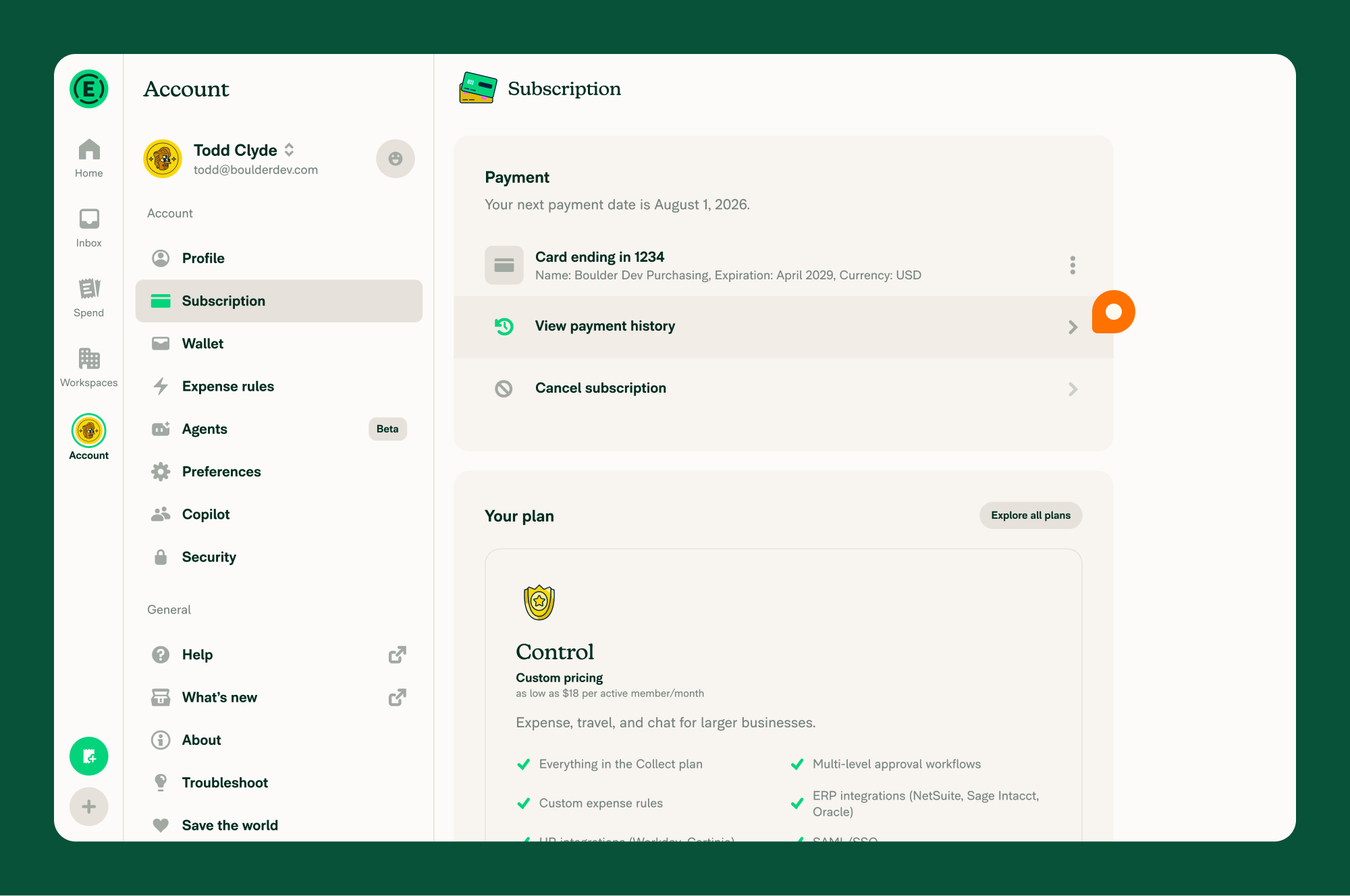
Expensify creates a receipt for each subscription charge. The receipt is stored in the Workspace owner’s account as an expense and can be found in the subscription settings under View payment history.
Who can find billing receipts
By default, only the Workspace owner can view billing receipts under View payment history.
If a billing receipt is added to a report, other Workspace Admins can also view it on the Spend page.
How to find billing receipts
- In the navigation tabs (on the left on web, on the bottom on mobile) go to Account > Subscription.
- Select View payment history.
- Select any expense to view its billing receipt.
Related articles
FAQ
Why don’t I see View payment history?
View payment history appears only after the Workspace owner has been billed at least once. If you don’t see it, confirm that you’re the Workspace owner.
How can I make billing receipts visible to other Workspace Admins?
By default, only the Workspace owner can view billing receipts. To make them visible to other Workspace Admins, add the receipts to a report. Once they’re added to a report, Workspace Admins can view them on the Spend page by searching for the merchant Expensify.
To add Expensify billing receipts to reports automatically, create a Personal Expense Rule. To learn more, see Personal Expense Rules.


