


Connect to Intuit Enterprise Suite
Connect to Intuit Enterprise Suite
Connect Intuit Enterprise Suite to your Expensify workspace to sync your accounting data. This article walks you through connecting Intuit Enterprise Suite and completing the initial setup.
Once connected, the integration imports:
- Your chart of accounts as categories.
- Your dimensions, like Departments, Projects, and Classes, as tags.
- Tax rates (when enabled).
Who can connect Intuit Enterprise Suite to a workspace
To connect Intuit Enterprise Suite, you must:
- Be a Workspace Admin with a workspace on the Control plan.
- Have Accounting enabled on your workspace, under More features.
- Have Intuit Enterprise Suite login credentials.
How to connect Intuit Enterprise Suite to your workspace
- In the navigation tabs (on the left on web, on the bottom on mobile), select Workspaces > [workspace name].
- Select Accounting.
- In the Connections section next to Intuit Enterprise Suite, select Connect.
- Log in with your Intuit credentials when prompted.
What happens after you connect Intuit Enterprise Suite
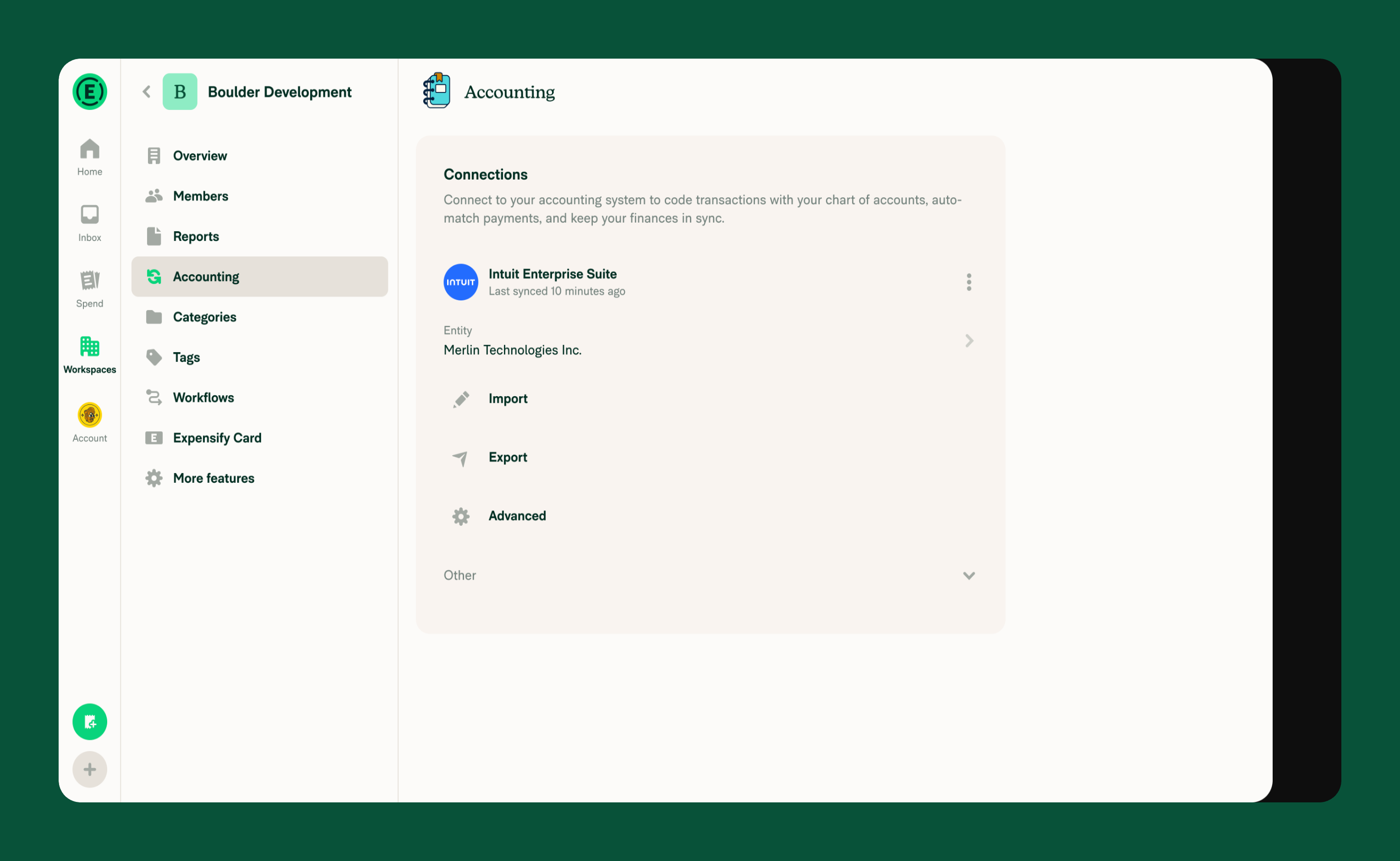
After the connection is established, the Connections section updates to show your connected Intuit Enterprise Suite integration, including:
- The connection status and last sync timestamp.
- The selected Entity.
- The Import, Export, and Advanced configuration settings.
FAQ
Why do I see an upgrade message when I click Connect for Intuit Enterprise Suite?
The Intuit Enterprise Suite integration is only available on the Control plan. On a Collect plan workspace, you’ll be prompted to upgrade before you can connect to Intuit Enterprise Suite.
Can I change which Entity is used?
Yes. If your Intuit Enterprise Suite organization has multiple entities, you can select which entity to sync with your Expensify Workspace under Entities. Expensify will sync data from the newly selected entity, including its chart of accounts, departments, projects, classes and tax rates.
Can I connect both QuickBooks Online and Intuit Enterprise Suite to the same workspace?
No. A workspace can have only one accounting connection at a time. If QuickBooks Online is already connected, you are prompted to disconnect it before Intuit Enterprise Suite connects.
Should I connect QuickBooks Online instead?
Connect QuickBooks Online if your Intuit subscription is Simple Start, Essentials, or Essentials Plus. Learn how to connect to QuickBooks Online.


